In today’s digital era, almost everything can be done easily, including making payments through digital platforms. All you need is a smartphone and the DANA app to pay various bills. It’s practical and easy, even transferring money from DANA to a bank is simple and convenient.
DANA offers a service to send money via bank transfer with just a few taps, without the need to visit a physical bank. But before diving into how to transfer money from DANA to a bank account, let’s first understand what DANA is.
What is DANA?
DANA is a digital wallet widely used in Indonesia. It’s designed for cashless and cardless transactions, whether online or offline, to make life easier for users.
You don’t have to worry about losing your money; it’s all stored securely on your phone. DANA is also protected by a password, so it can’t be accessed by just anyone. In addition to being safe, DANA is known for its flexibility and speed in processing payments and other transactions. That’s why you should know how to transfer money from DANA to a bank.
DANA is continuously developed by some of Indonesia’s best talents to be a digital wallet that supports various financial and lifestyle transactions across all segments of society. It’s definitely a product to be proud of.
Another benefit of knowing how to transfer money from DANA to a bank is the very low fees, in fact, transfers to many banks are free of charge (up to 10 times per month). DANA is also optimized to support the government’s efforts in reducing physical cash usage, lowering production and distribution costs.
Moreover, DANA supports increased financial inclusion and literacy in Indonesia. It’s a digital product that’s not only practical but also beneficial for the broader economy, proof that Indonesia is capable of building and advancing its digital infrastructure.
The History of DANA
DANA was founded based on CEO Vincent Iswara’s experience and vision in the digital payment industry. He saw the potential for growth in Indonesia and decided to launch the digital wallet DANA. The platform started operating in 2018, offering various services such as financial updates, lending through KMK Online, and a loyalty point system.
On December 5, 2018, DANA was officially licensed as a fintech company to operate across Indonesia. It also obtained permission from Bank Indonesia after meeting the requirements to be recognized as a legitimate financial technology provider.
DANA supports payments through barcode scanning and other payment methods. It is legally registered and developed by a startup with backing from PT Elang Sejahtera Mandiri, a subsidiary of PT EMTEK, in partnership with ANT Financial, a major global tech firm.
Thanks to this partnership, DANA benefits from Alipay’s technology, which is trusted globally for its secure digital transaction systems.
DANA has partnered with major banks in Indonesia, including BNI, BCA, Permata Bank, BTN, Sinar Mas, and others. On August 9, 2021, DANA was fully acquired by Sinar Mas.
See Video on How to Easily Send Money Abroad with Transfez
How to Transfer Money from DANA to a Bank
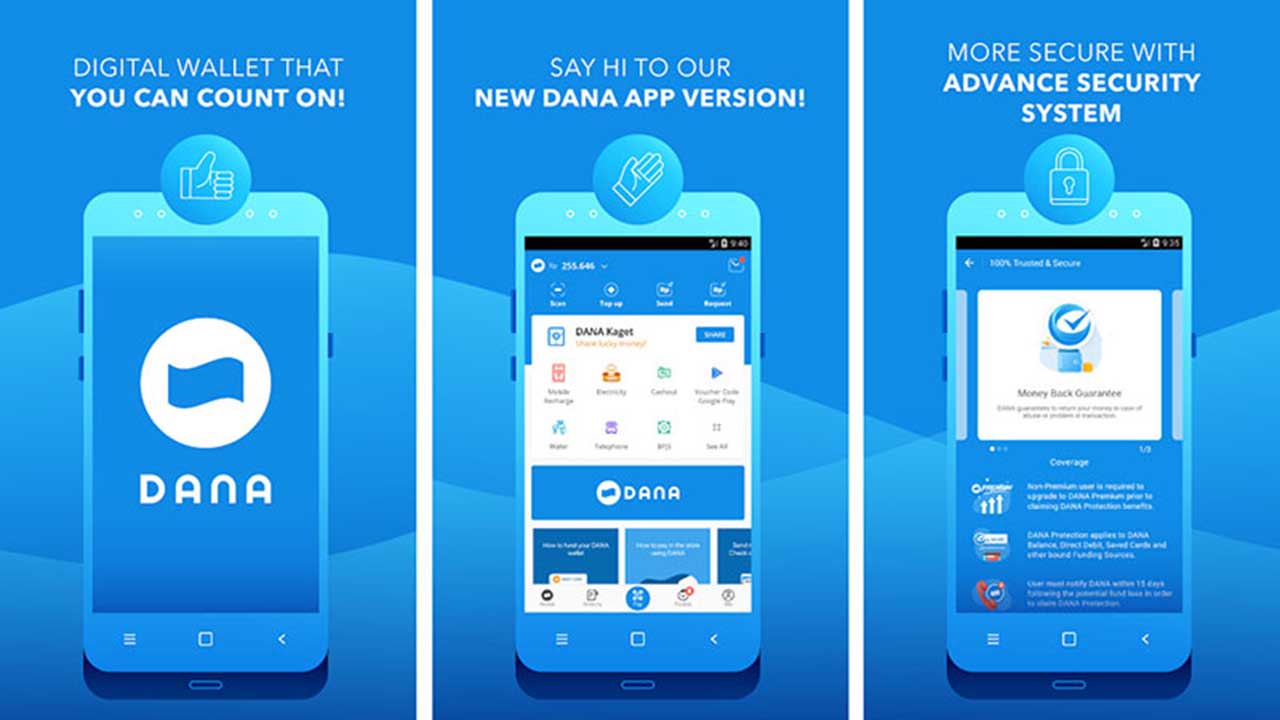
As mentioned earlier, DANA offers a variety of features, allowing you to top up phone credit, pay electricity or water bills, internet, and more. You can also transfer money to various partner banks.
You don’t need to worry about transfer fees; DANA offers up to 10 free transfers per month. So, how do you transfer money from DANA to a bank? Follow these easy steps:
- Open the DANA app on your phone.
- Make sure your DANA balance is sufficient.
- Tap “Send” or choose “Transfer via Bank.”
- Select the “+” icon to add a bank recipient.
- Fill in the required bank information: bank name, account number, and account holder’s name.
- Tap “Add New Bank.”
- Enter the amount you wish to transfer.
- Choose the source of funds (your DANA balance).
- Tap “Send DANA.”
- Double-check the account number and the recipient’s name.
- Once confirmed, tap “Confirm.”
- Enter your PIN to proceed.
- Your transaction is complete.
Transferring money via DANA is indeed very practical. That’s why it’s useful to know how to send money from DANA to a bank; you don’t have to go to an ATM, Alfamart, Indomaret, pawnshop, or anywhere else.
Just make sure you meet the transfer requirements before initiating the transaction. To transfer to a bank, DANA requires identity verification, which usually takes just a few minutes before you’re allowed to send money.
Download Transfez App
Transfez App can help you transfer money abroad more quickly and efficiently. Jack Finance can also help your business in making transactions abroad. For those of you who want to send money to relatives who are abroad because they are studying, working, or traveling, Transfez will be ready to help. This app is available on Android as well as iOS.