Tutorial Transfez SG

If needed, your Transfez balance can be withdrawn and sent to your personal bank account. Please note that the withdrawal process takes approximately 3–4 business days to complete.

Follow the steps below.
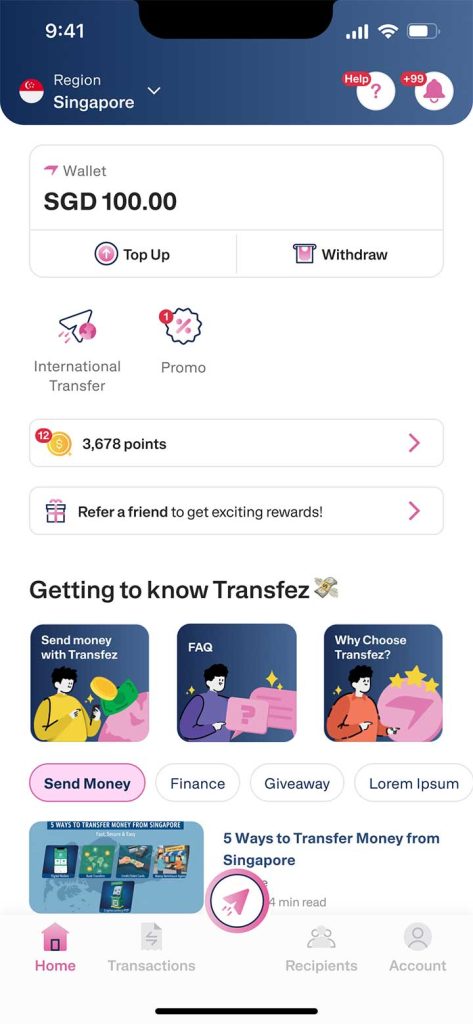
1. From the Home screen, tap Withdraw Balance.

Withdraw Balance EN - Step 1

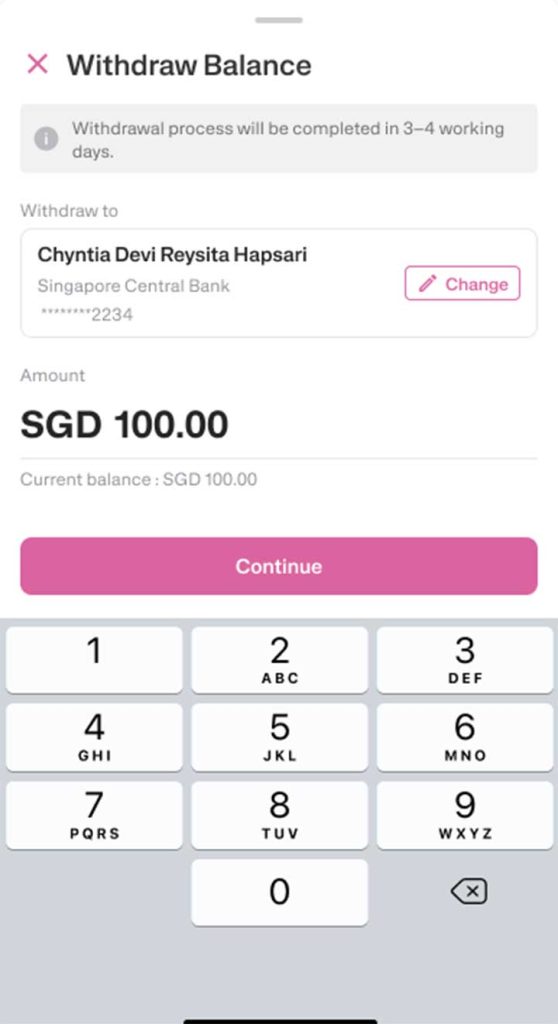
2. Select the destination bank account to receive your funds.

3. Enter the amount you want to withdraw, then tap Continue.

Withdraw Balance EN - Step 2

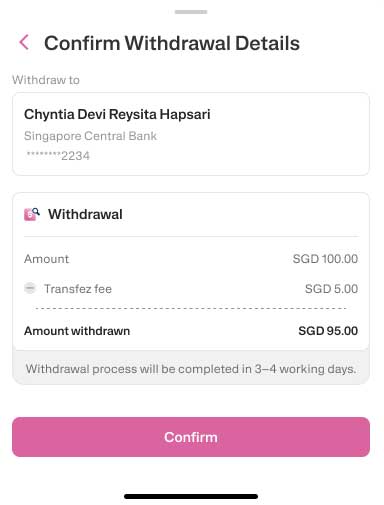
4. Review the destination account and withdrawal amount carefully.

5. Please note that the withdrawal process may take 3–4 business days. Once confirmed, tap Confirmation.

Withdraw Balance EN - Step 3

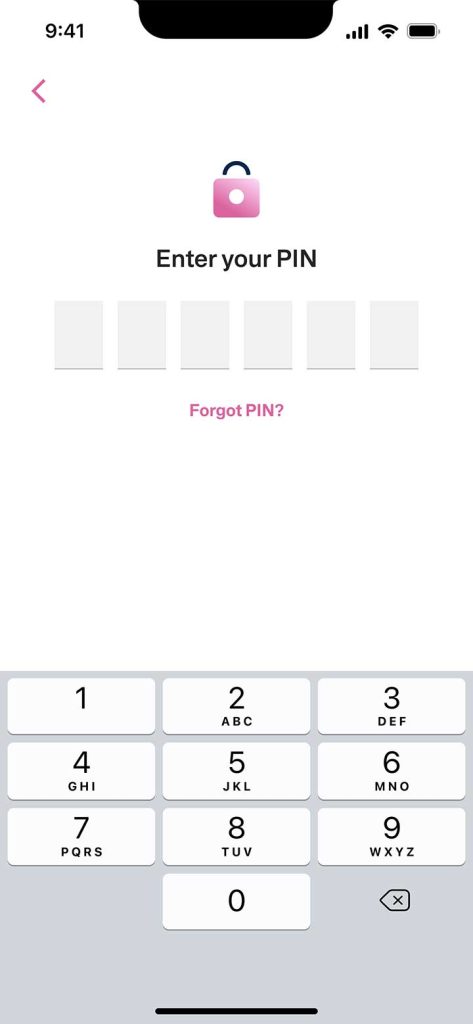
6. Enter your transaction PIN to proceed.

Withdraw Balance EN - Step 4

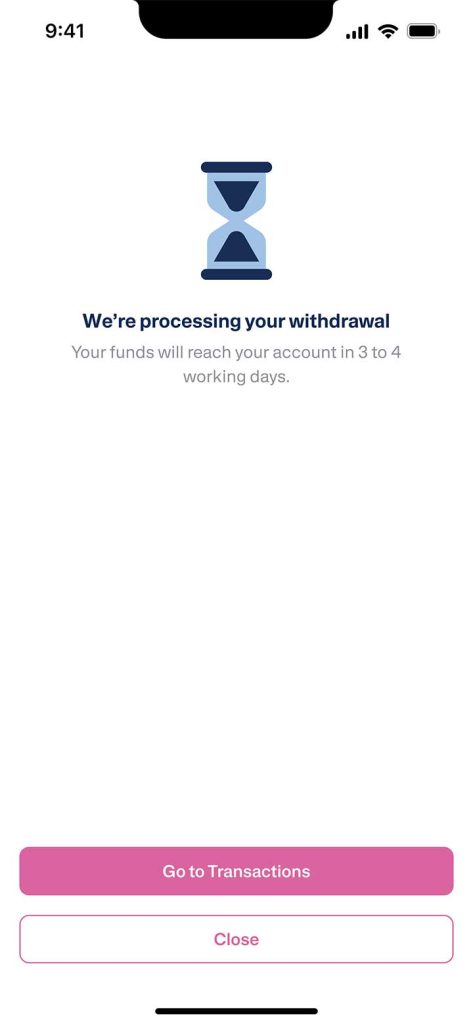
7. Your withdrawal has been successfully processed.

Withdraw Balance EN - Step 5

8. Your balance will be deducted and transferred to the selected bank account once the process is completed.

Withdraw Balance EN - Step 6

If you still have questions, please contact our Customer Service via our Email at [email protected] or via WhatsApp at +65 - 9244 - 8077