Tutorial Transfez SG

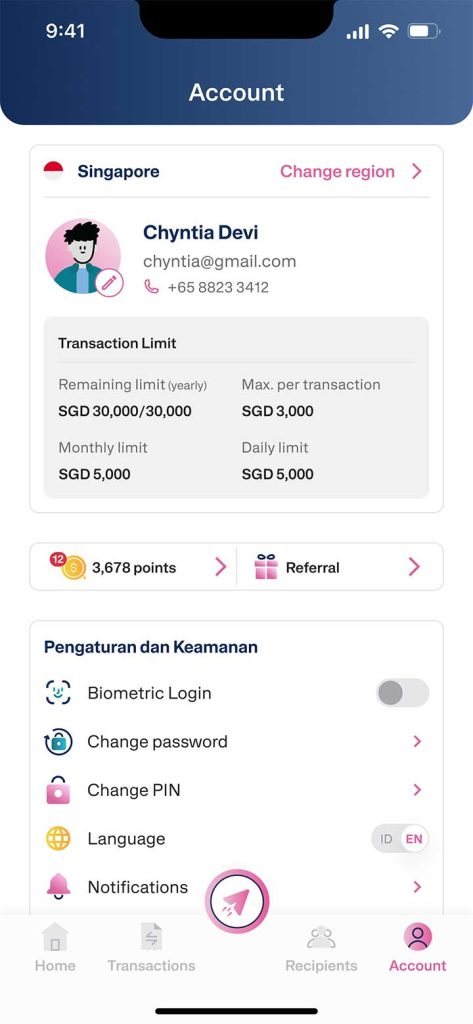
If you need to send larger amounts, you can upgrade your transfer limit per transaction in the Transfez Singapore app. Once approved, your limit can increase from SGD 1,500 to SGD 3,000 per transaction.

Follow the steps below:
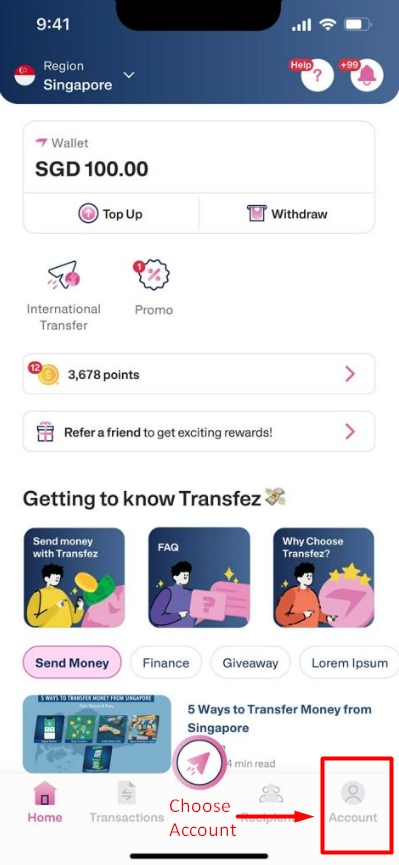
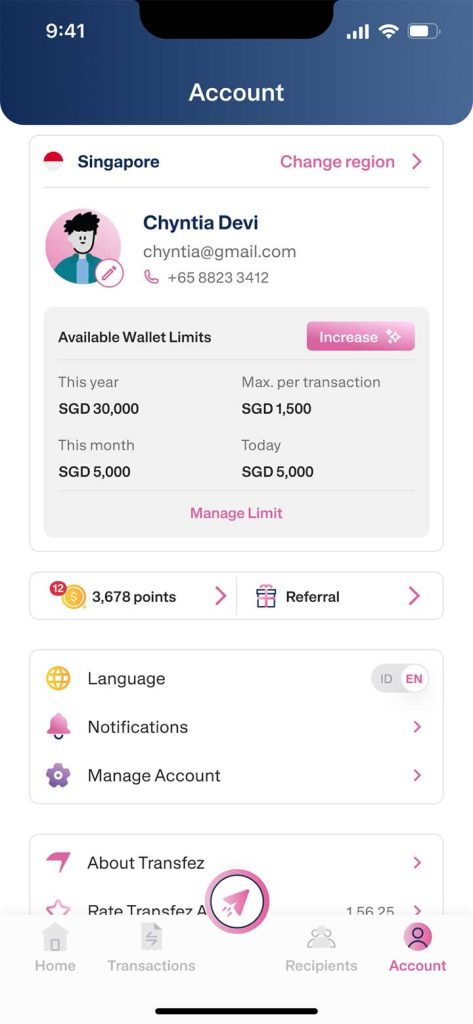
1. From the Home screen, tap Account in the bottom right corner.

Upgrade Limit per Transfer EN - Step 1

2. Select Increase.

Upgrade Limit per Transfer EN - Step 2

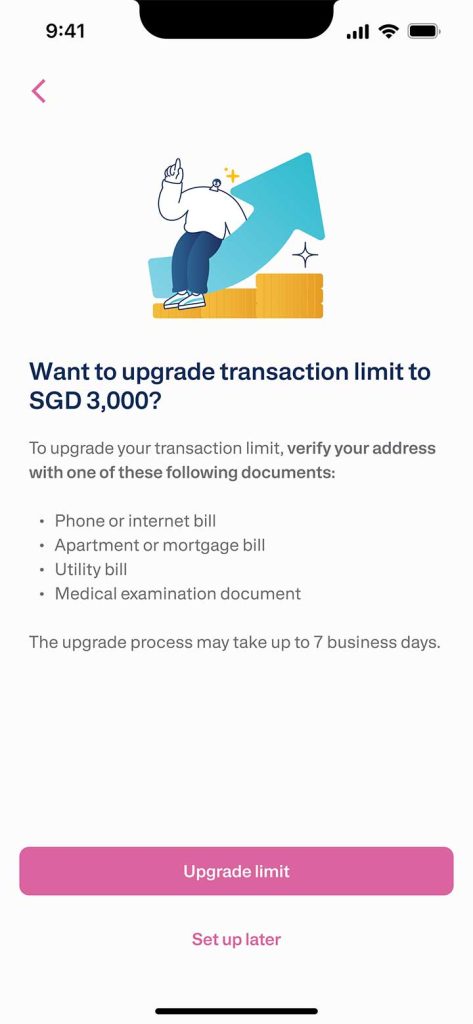
3. To proceed, you’ll need to verify your Singapore address by uploading one of the following documents:

  • Internet or phone bill
  • Rental agreement or home installment proof
  • Electricity or water bill
  • Medical document

Upgrade Limit per Transfer EN - Step 3

4. After reviewing the information provided, tap Upgrade Limit.

Upgrade Limit per Transfer EN - Step 4

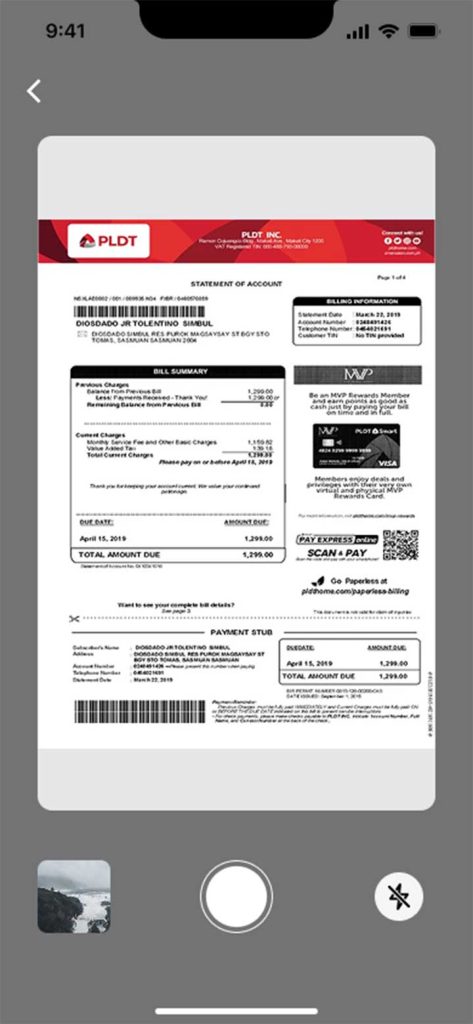
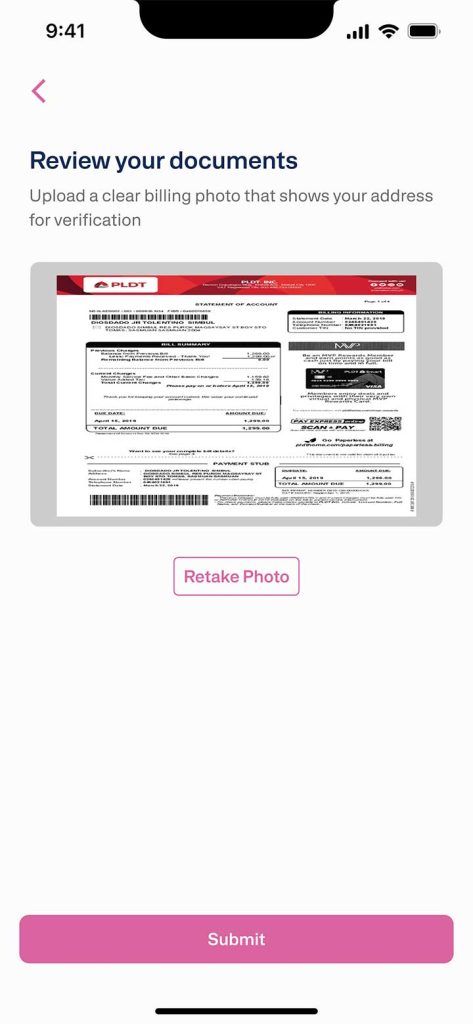
5. Take a clear and readable photo of your selected document to ensure a smooth verification process.

6. Tap Submit to confirm and proceed.

Upgrade Limit per Transfer EN - Step 5

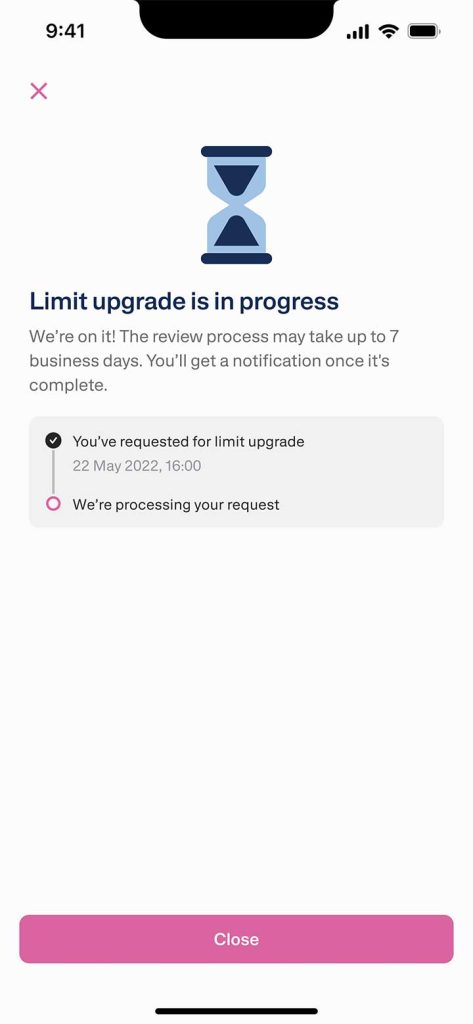
7. Your limit upgrade request will be reviewed by the Transfez team and may take up to 7 business days to process.

Upgrade Limit per Transfer EN - Step 6

8. Once approved, your maximum transfer limit per transaction will increase to SGD 3,000.

Upgrade Limit per Transfer EN - Step 7

If you still have questions, please contact our Customer Service via our Email at [email protected] or via WhatsApp at +65 - 9244 - 8077