Tutorial KYC & Top Up via 7-Eleven on Transfez Singapore


If you want to send money from Singapore to Indonesia quickly and securely, it’s important to understand the Transfez Singapore KYC process and how to top up your wallet via 7-Eleven. In this guide, you’ll learn how to complete account verification in the Transfez app and add funds easily, so you can start making real-time transfers to Indonesia without hassle.
If you want to send money from Singapore to Indonesia using Transfez, you may be required to complete identity verification (KYC).
For certain users, this verification process is conducted through 7-Eleven Singapore’s official KYC system, not directly inside the Transfez app.
Here’s how it works.
Complete your verification through the official 7-Eleven Singapore page:
7-Eleven Singapore KYC Page https://www.7-eleven.com.sg/kyc
Make sure you access the official website only for security purposes.
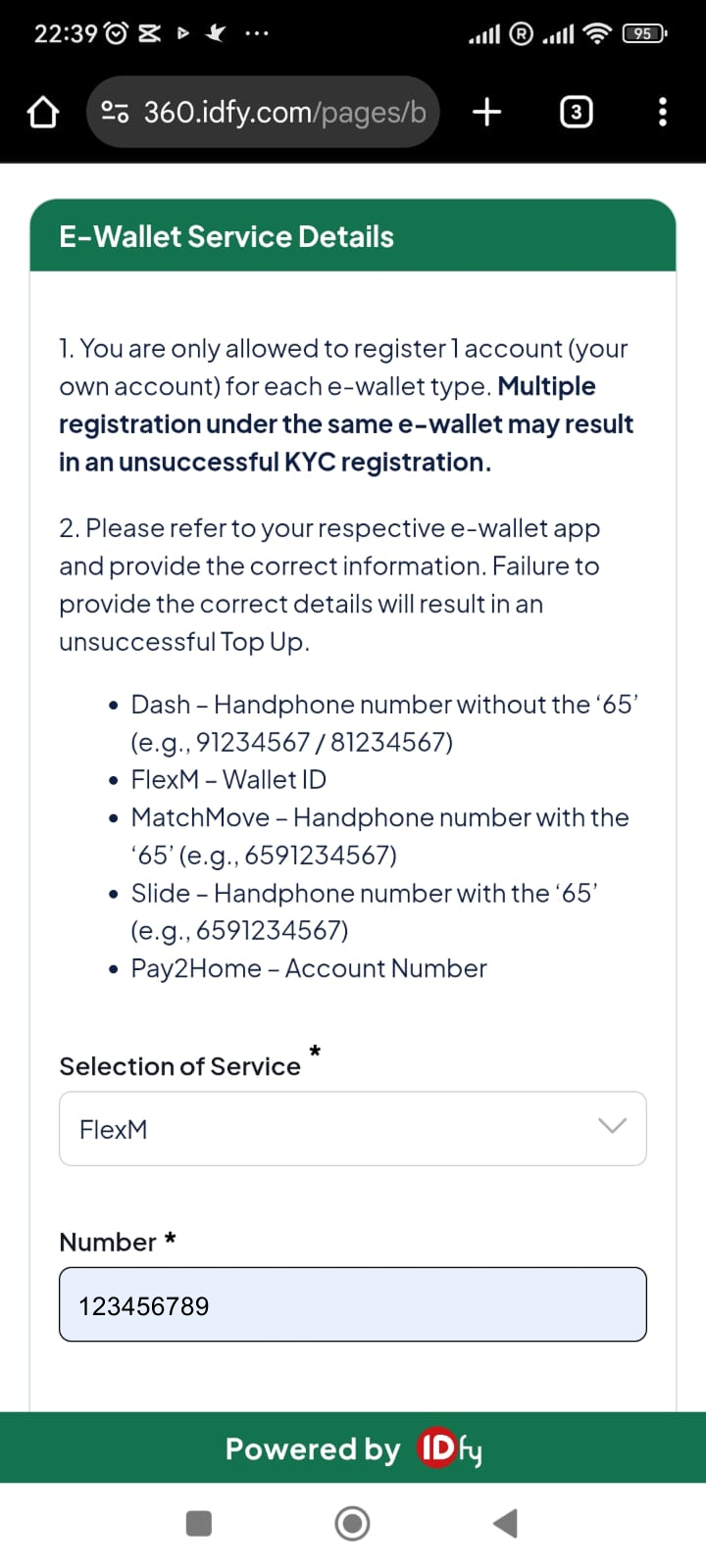
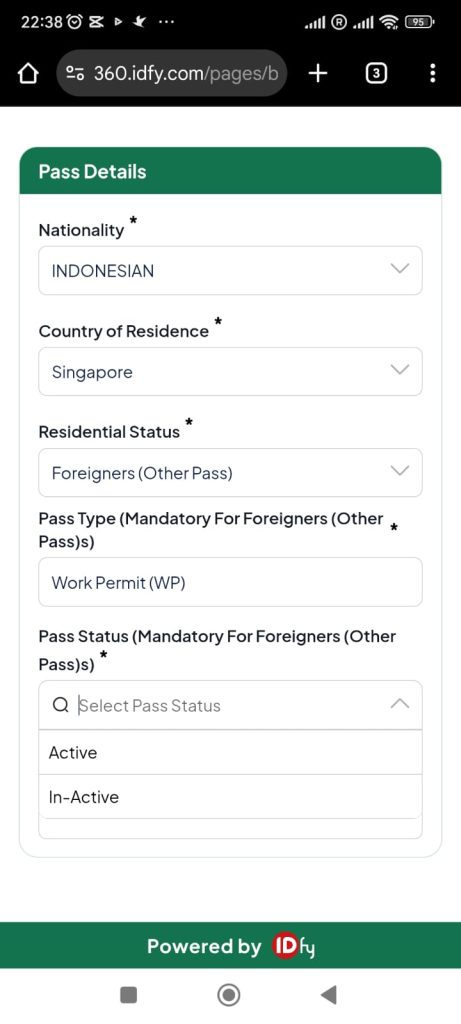
On the 7-Eleven KYC page, you will need to:
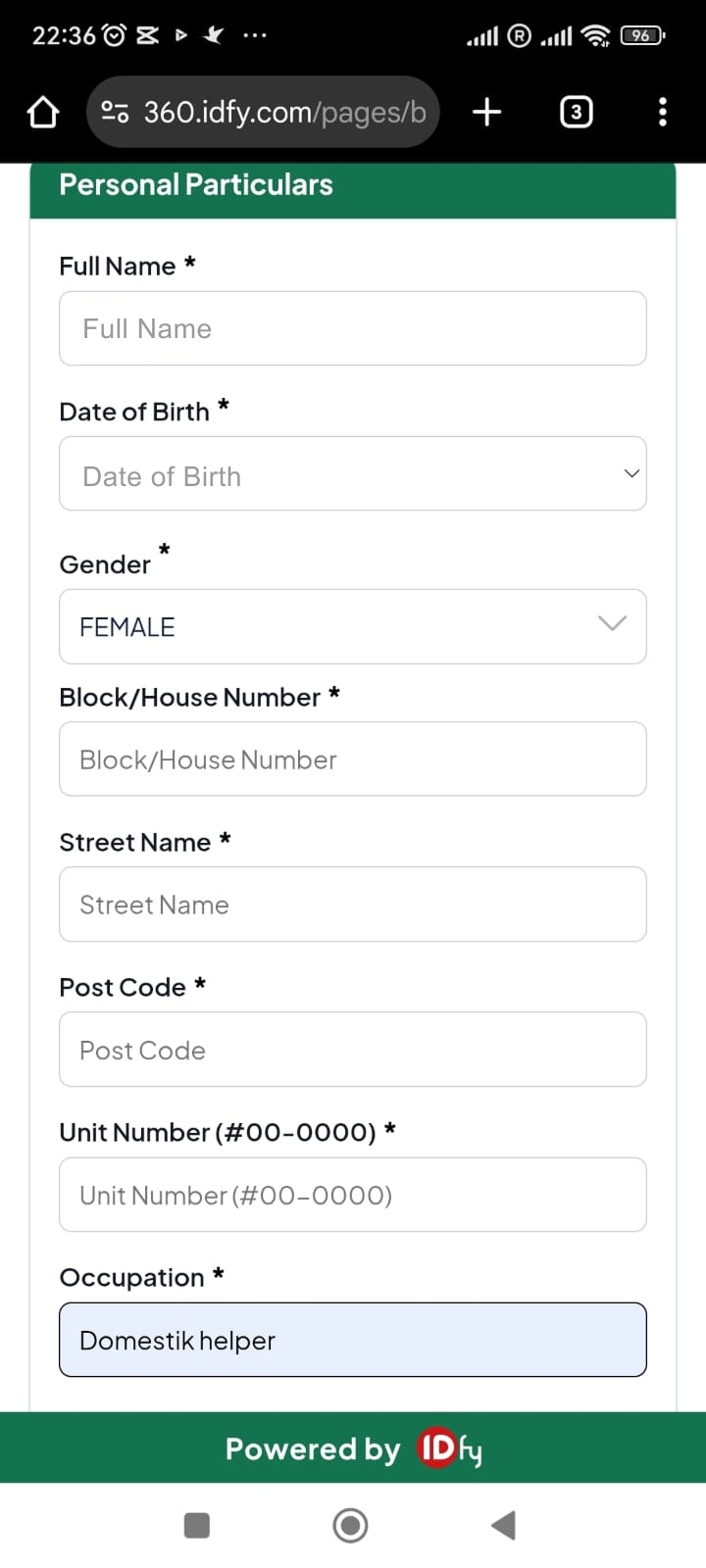
The process is handled by 7-Eleven’s system.
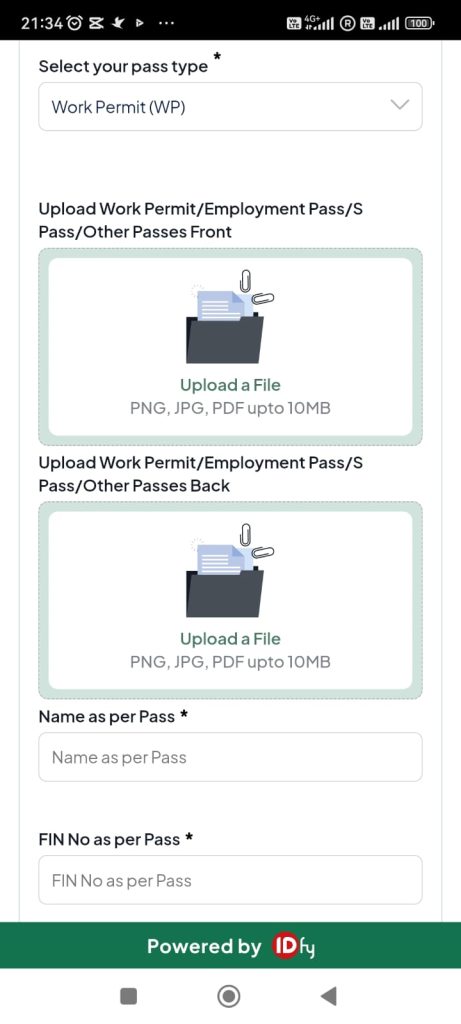
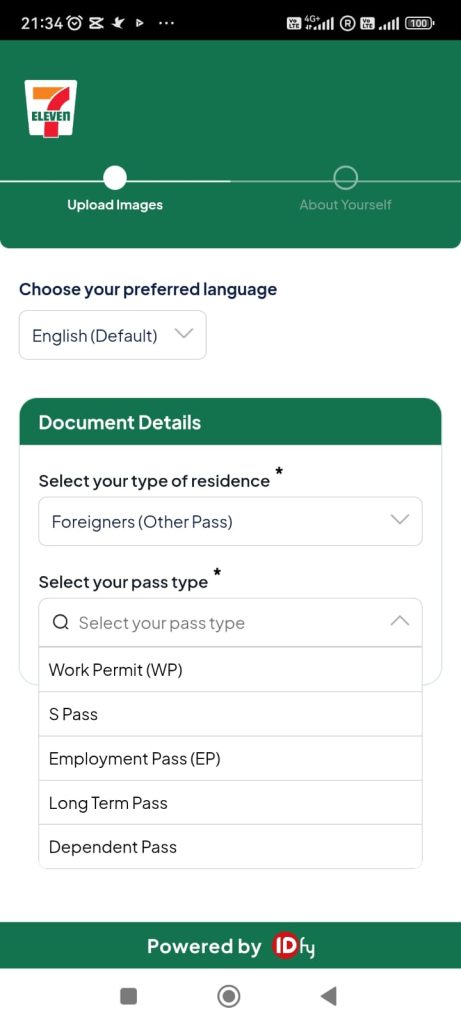
Once completed, your verification status will be processed.
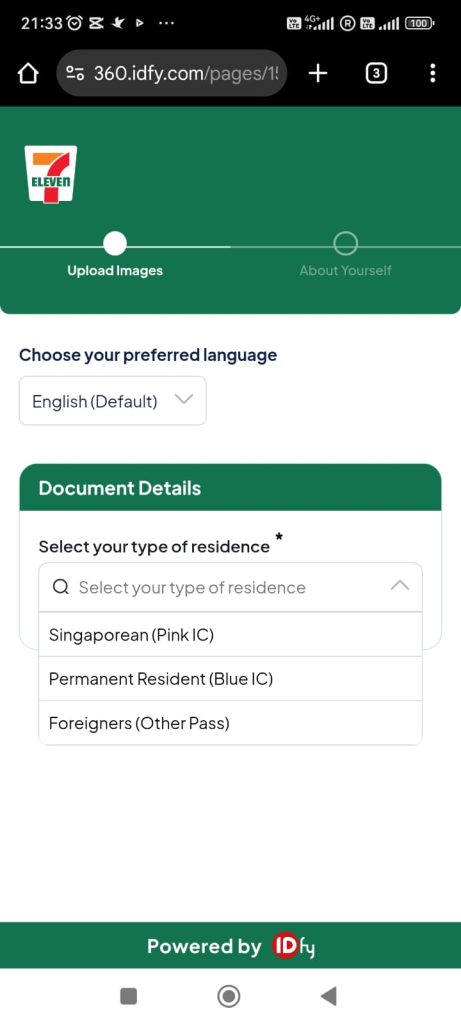
After approval, your Transfez account will be fully activated and ready for transactions.
Transfez Singapore allows you to add funds to your wallet through 7-Eleven outlets across Singapore. The top up process starts in the Transfez app, and payment is completed physically at a 7-Eleven store.
Here’s the step-by-step guide.
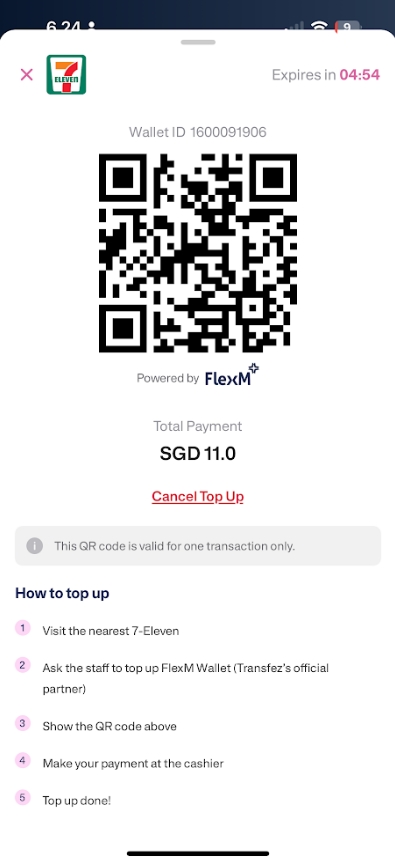
Important! Fill in the “Number” section with your Transfez Wallet ID, not your phone number.
When prompted to enter a “Number,” enter the following:
✅ Transfez Singapore Wallet ID Number
❌ Not a Phone Number
If you enter a phone number, the transaction may fail or be delayed.
📌 How to View Your Wallet ID in the Transfez App
Follow these steps:
1. Open the Transfez app for the Singapore region.
2. Go to the Top Up menu.
3. Select the KYC 711 option.
4. Your Wallet ID number will appear.
5. Copy this number.
6. Paste the Wallet ID number in the “Number” section.
Enter the correct number before proceeding with the transaction. This will ensure a smooth and hassle-free money transfer process!
You can now use your balance to send money from Singapore to Indonesia.
Singapore Feature
Send Money from Singapore to Indonesia with Transfez
Whether you're supporting your family or paying bills in Indonesia, Transfez makes sending money from Singapore fast, affordable, and reliable.
✔ Fast SGD → IDR transfers
✔ Low, transparent fees
✔ Trusted by Indonesian workers in Singapore
Built for Indonesians who live, work, and support families from Singapore.
To ensure secure money transfers, Transfez has clear transaction limits. You can also set your own using the Manage Limits feature in the Account section.
1️⃣ Default Limit (after KYC)
2️⃣ Limit Upgrade (after address verification/Proof of Address)
Note: