Transfez Singapore KYC (Identity Verification) Guide


To keep your account secure and enable full transactions, you’ll need to complete identity verification (KYC) in the Transfez Singapore app.
Follow the steps below to finish your verification smoothly.
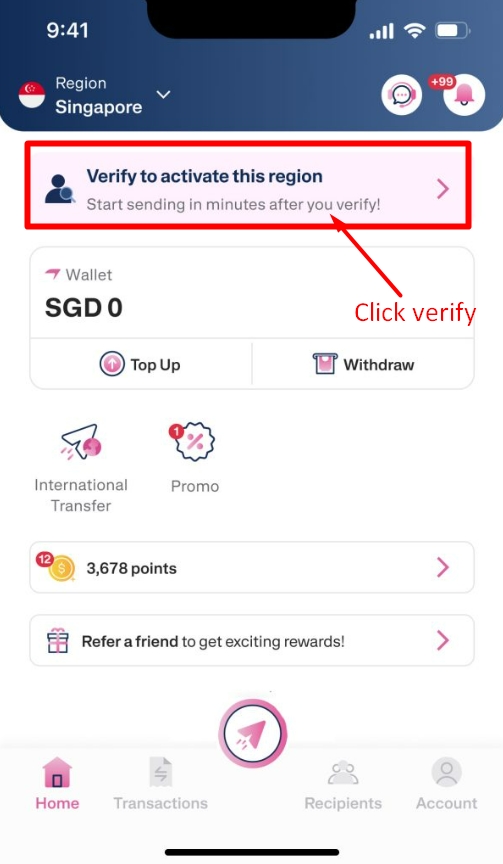
From the home screen:
Tap Verify to begin your identity verification.
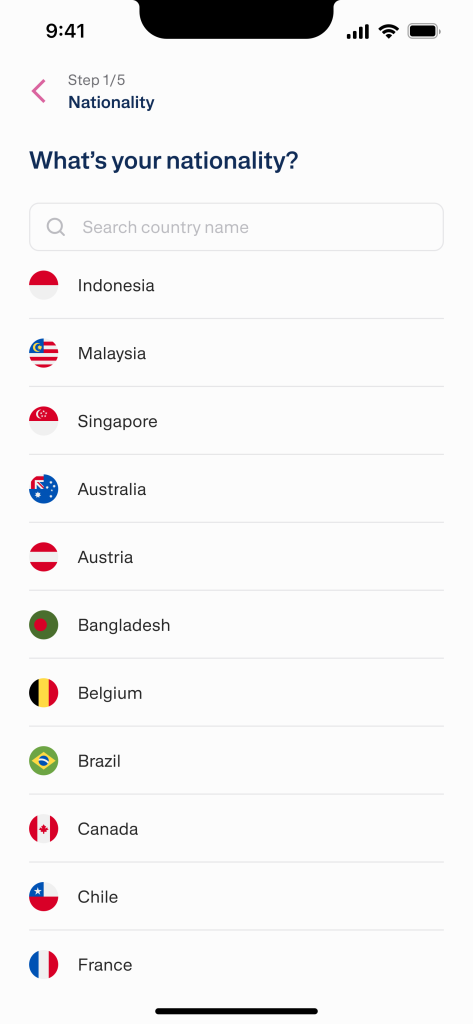
Next, choose your country of origin. (If you are an Indonesian citizen working in Singapore, please select Indonesia).
This helps the app match the right verification flow and required documents.
Get one of the following documents ready:
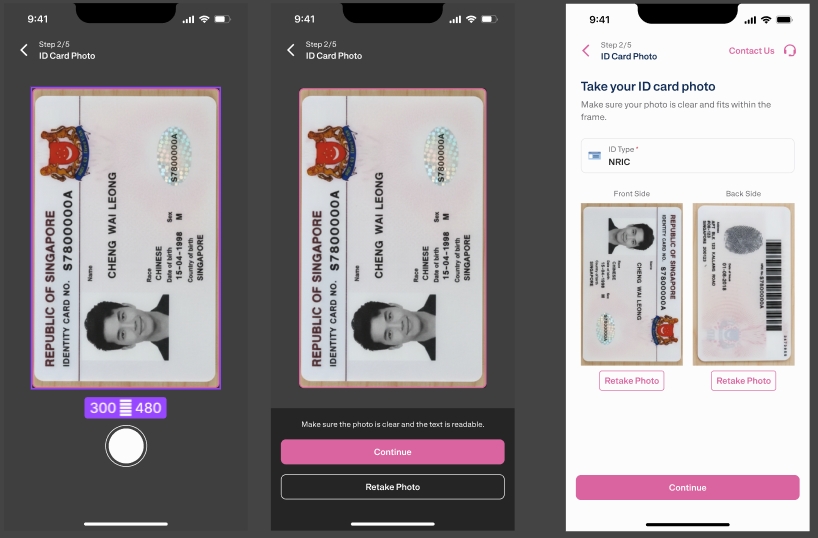
Then take a clear photo of your document directly in the app.
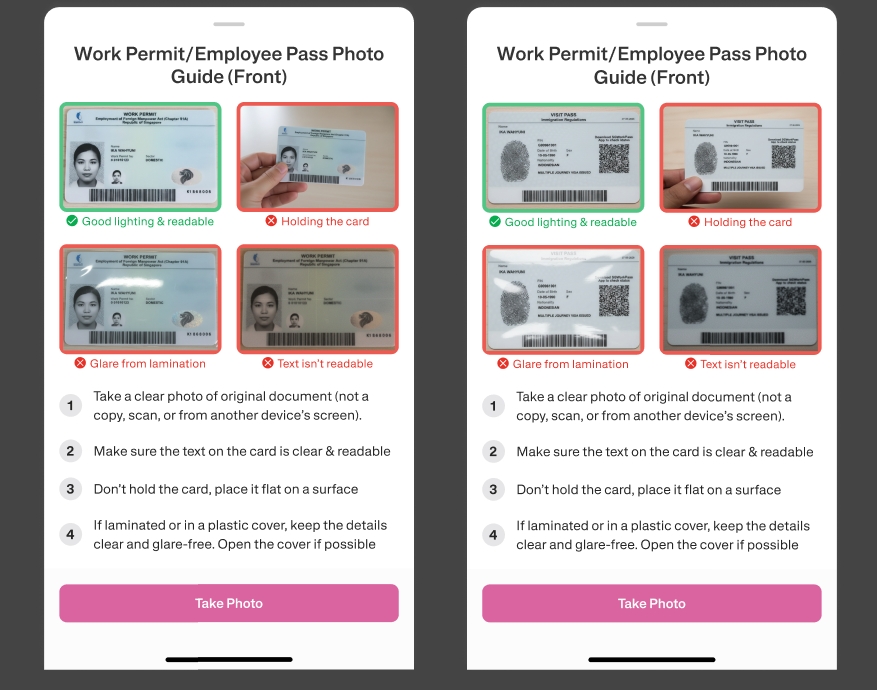
Tips for best results:
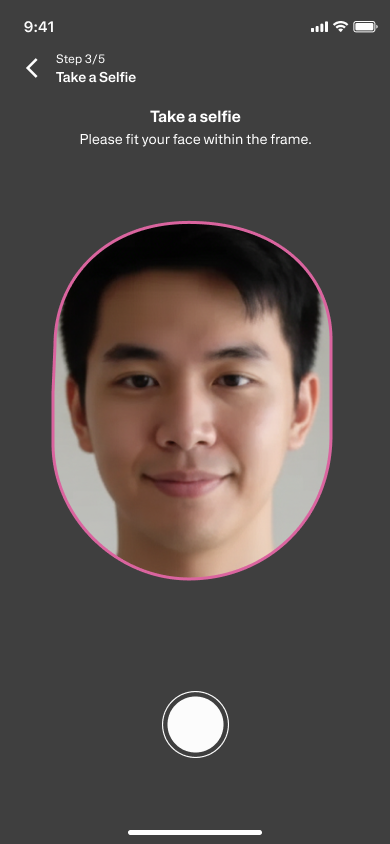
Next, you’ll be asked to take a selfie (or a live photo) to verify your face.
For best accuracy:
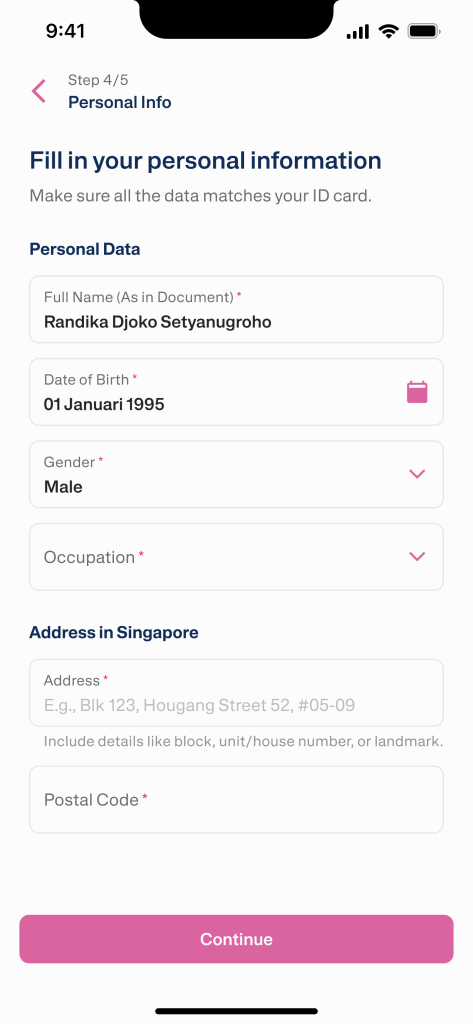
After completing the document and selfie steps, enter your personal details such as:
Make sure everything matches your documents to avoid delays.
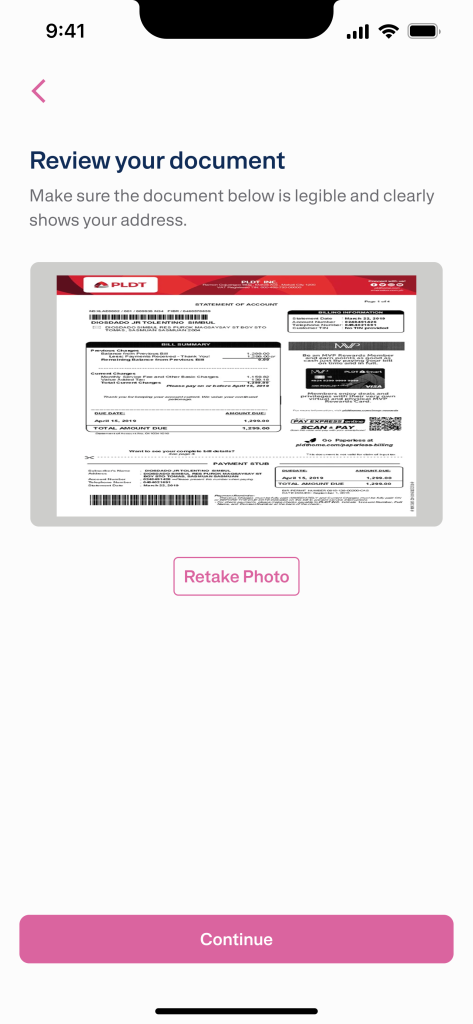
Don’t need to upgrade/increase your limit yet? Don’t worry, these additional documents are only required when you want to increase your sending limit, and you can upload them at any time if needed.
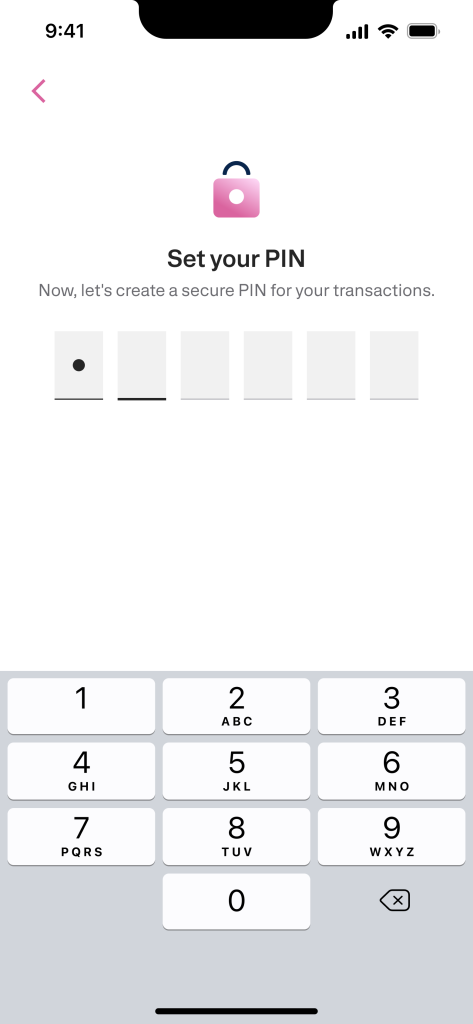
Create a transaction PIN for important actions in the app.
Choose a PIN that:
You’ll usually be asked to confirm it once more.
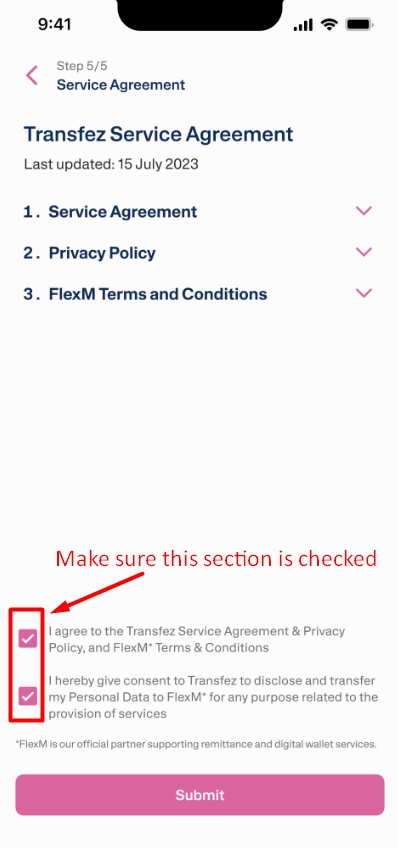
Before submitting:
Done ✅
Now, simply wait for the Transfez team to review your submission. You can track the verification status in the app (the KYC process takes approximately 5-10 minutes, so please monitor notifications or double-check your verification status.).
The verification process on weekdays typically takes a few minutes. Applications submitted on weekends will be processed the next business day.

Once approved, your Transfez account will be fully active and ready to use—including sending money from Singapore to Indonesia.

If you still have questions, please contact our Customer Service via our Email at [email protected] or via WhatsApp at +65 - 9244 - 8077