

With just a few taps, you can send money from Singapore to Indonesia easily using the Transfez app. The process is fast, clear, and designed to be user-friendly.
Follow the steps below.
Step-by-Step Money Transfer
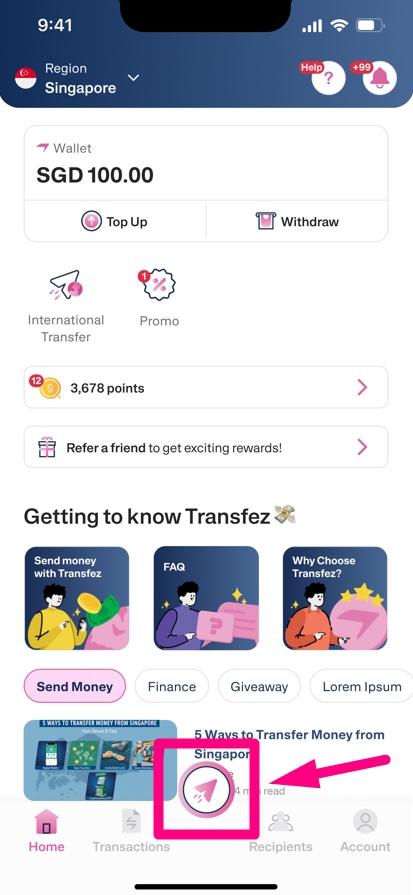
1. Make sure you’ve topped up your balance before sending. If not, please see top-up tutorial in the Transfez Singapore app. On the home screen, tap the arrow icon to start sending money.
2. Enter the amount you’d like to send using the calculator.
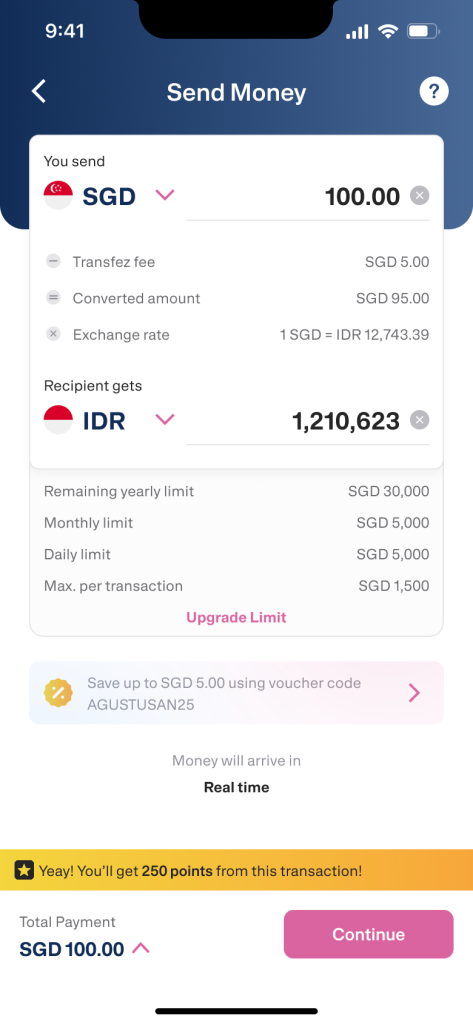
3. Then tap Continue.
4. Add a new recipient and fill in their details completely.
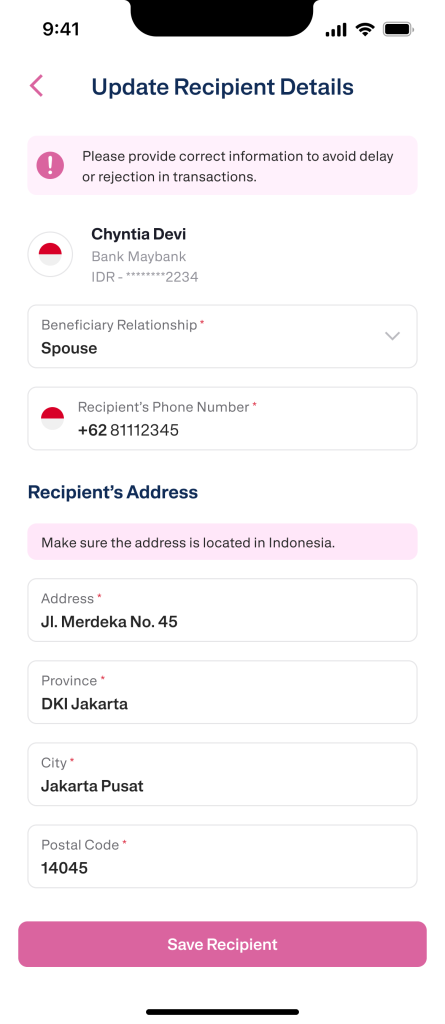
5. Once done, tap Save Recipient or Continue.
6. Provide additional information, including:
- Purpose of transfer
- Source of funds
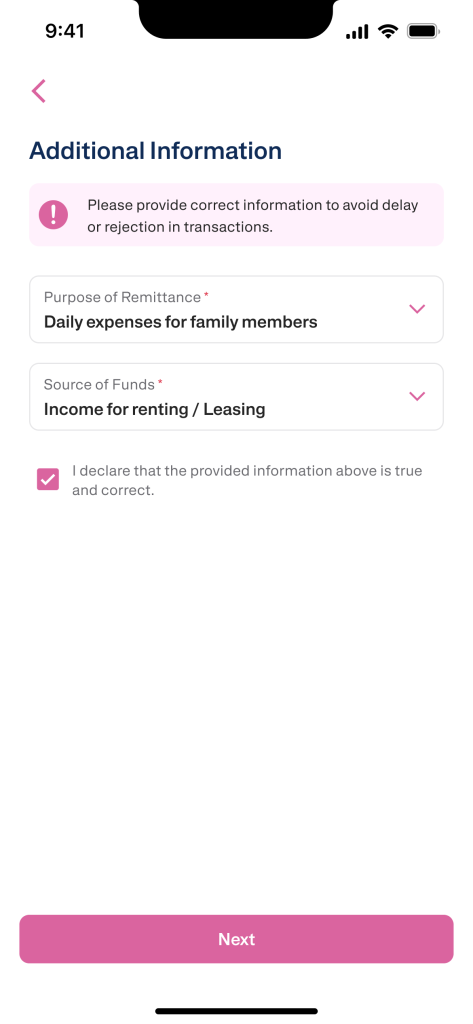
7. Then tap Continue.
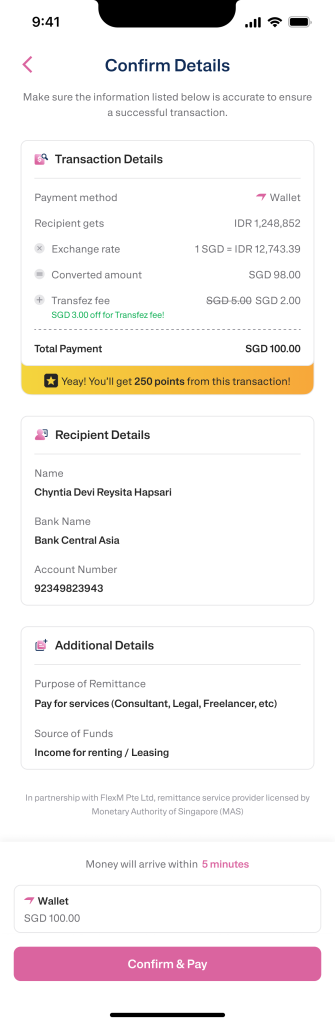
8. Review your transaction details carefully. Make sure the:
- Recipient’s name
- Amount
- Transfer values are all correct.
9. Make sure all the data is correct, and if you are sure, click Confirm & Pay.
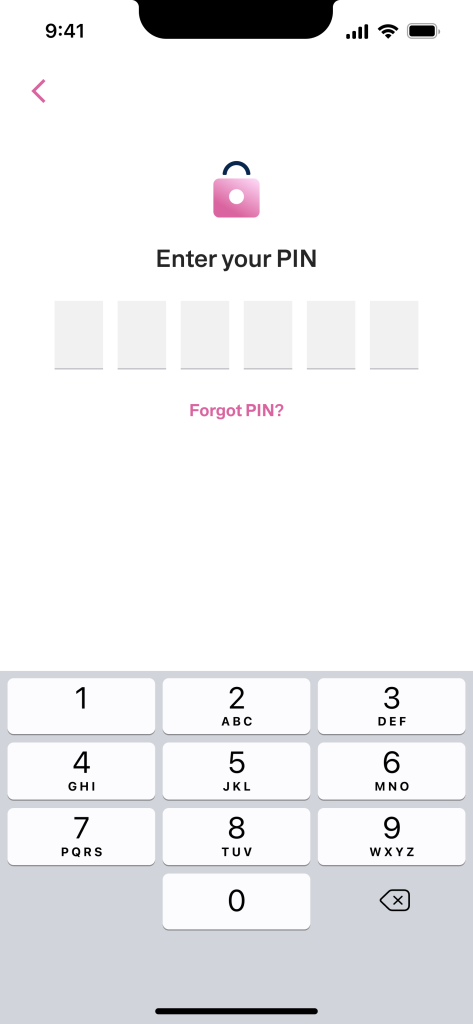
10. Enter your transaction PIN, and your transfer will be processed immediately.
11. Your money will be received in Indonesia in real time.
12. You will also receive a receipt of the transaction directly in the application and monitor the status of your transaction in the Transfez application.
That’s it! ✅
Sending money to Indonesia with Transfez is now quick and hassle-free.
If you still have questions, please contact our Customer Service via our Email at [email protected] or via WhatsApp at +65 - 9244 - 8077
Directly via WhatsApp