

Topping up your Transfez wallet is quick and simple. For users in Singapore, you can add funds using two convenient methods:
- PayNow
- 7-Eleven
Follow the steps below.
Steps to Top Up Your Balance
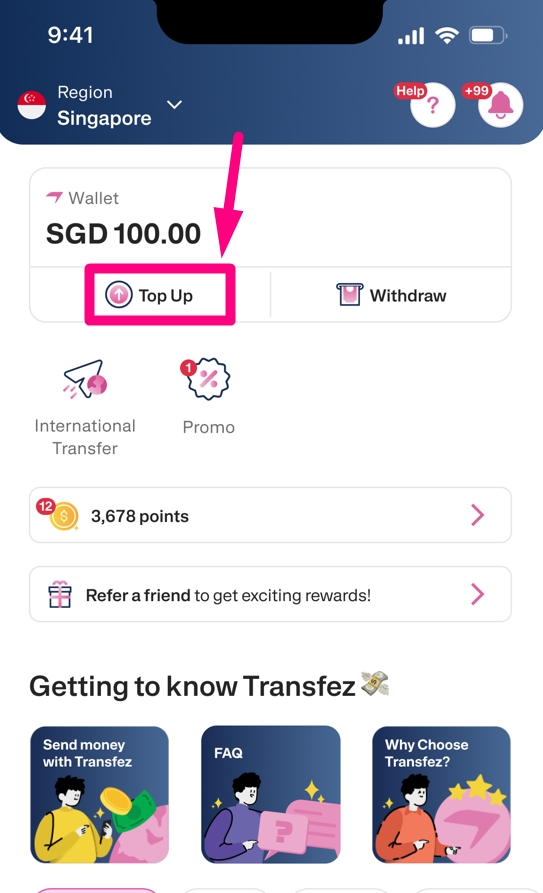
1. Open the Transfez app, then tap Top Up on the home screen.
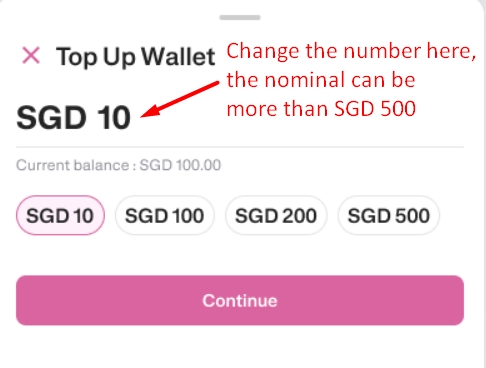
2. Enter the amount you want to add to your wallet. (Change the nominal number in this section; the nominal can be more than SGD 500, the number below is only to make it easier for you to choose the nominal; it does not indicate the maximum top-up amount).
3. Choose your preferred method, PayNow or 7-Eleven, then scan the QR code shown on the screen.
Available methods:
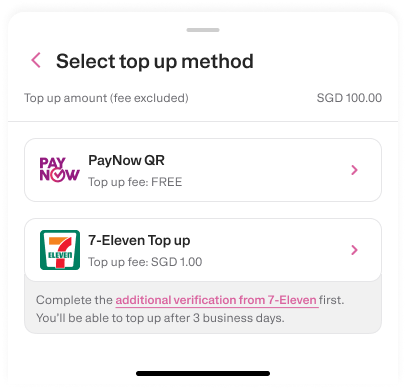
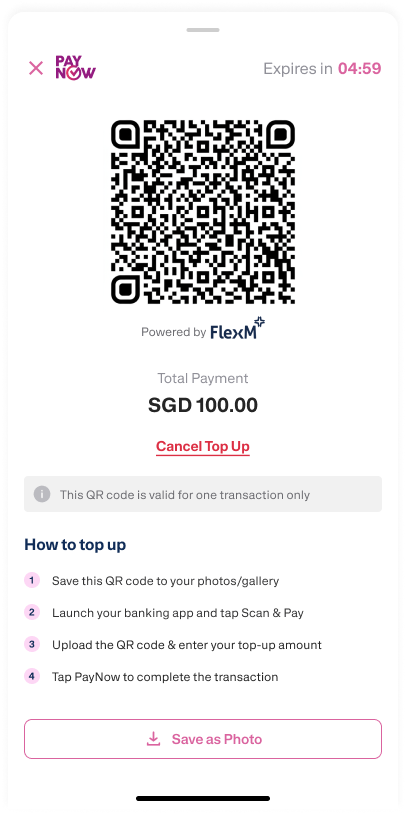
PayNow
7-Eleven
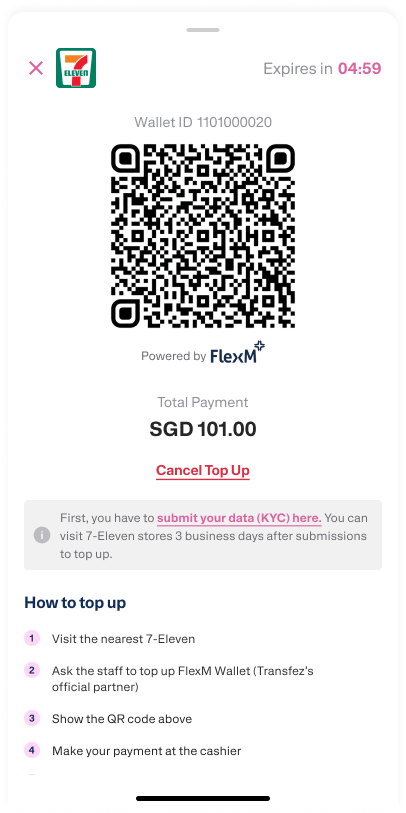
4. If you use PayNow, topping up from your personal bank account helps speed up verification. If you choose 7-Eleven, simply show the QR code to the cashier and complete the payment.
5. Once the payment is completed, your balance will be credited instantly to your Transfez account.
Easy, right? You can now top up your Transfez wallet anytime, anywhere.
See you in the next tutorial!
If you still have questions, please contact our Customer Service via our Email at [email protected] or via WhatsApp at +65 - 9244 - 8077
Directly via WhatsApp